Your colony just got a lot closer. The Scrying Stone is live: open it on the website, from your phone or your computer, and every crafting station, tree, vein, reed, beehive, farm animal and field your colony shares is right there to work, without walking the sim.
The full walkthrough, about 14 minutes.
What you can do
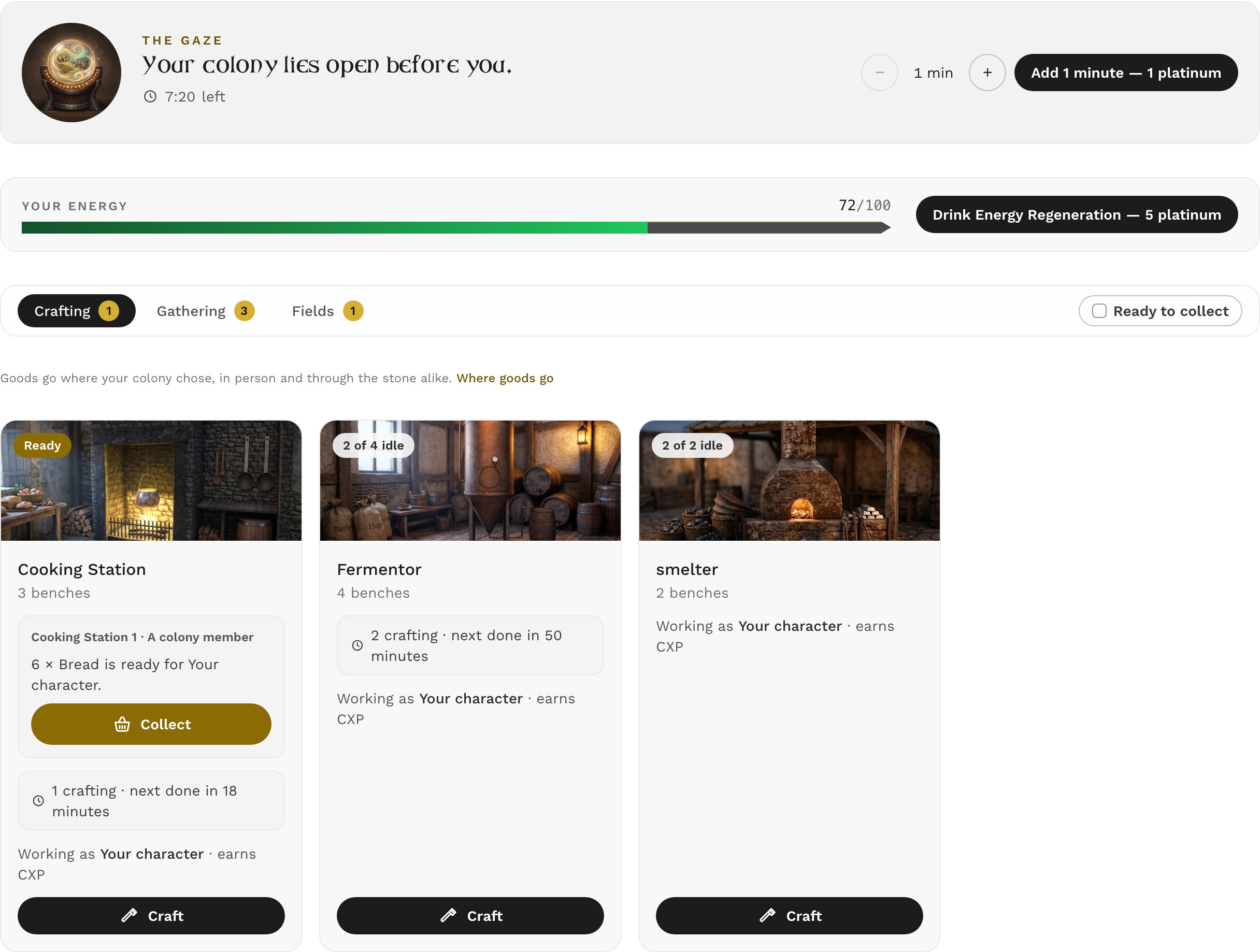
- Craft. Pick a recipe your character knows and how many, and the Stone finds a free station of that kind. Ingredients come straight from your colony’s stores. When it’s done, press Collect.
- Gather. Chop, mine, harvest and milk one at a time, tapping again straight away for the next, or press all to send to every ready node at once.
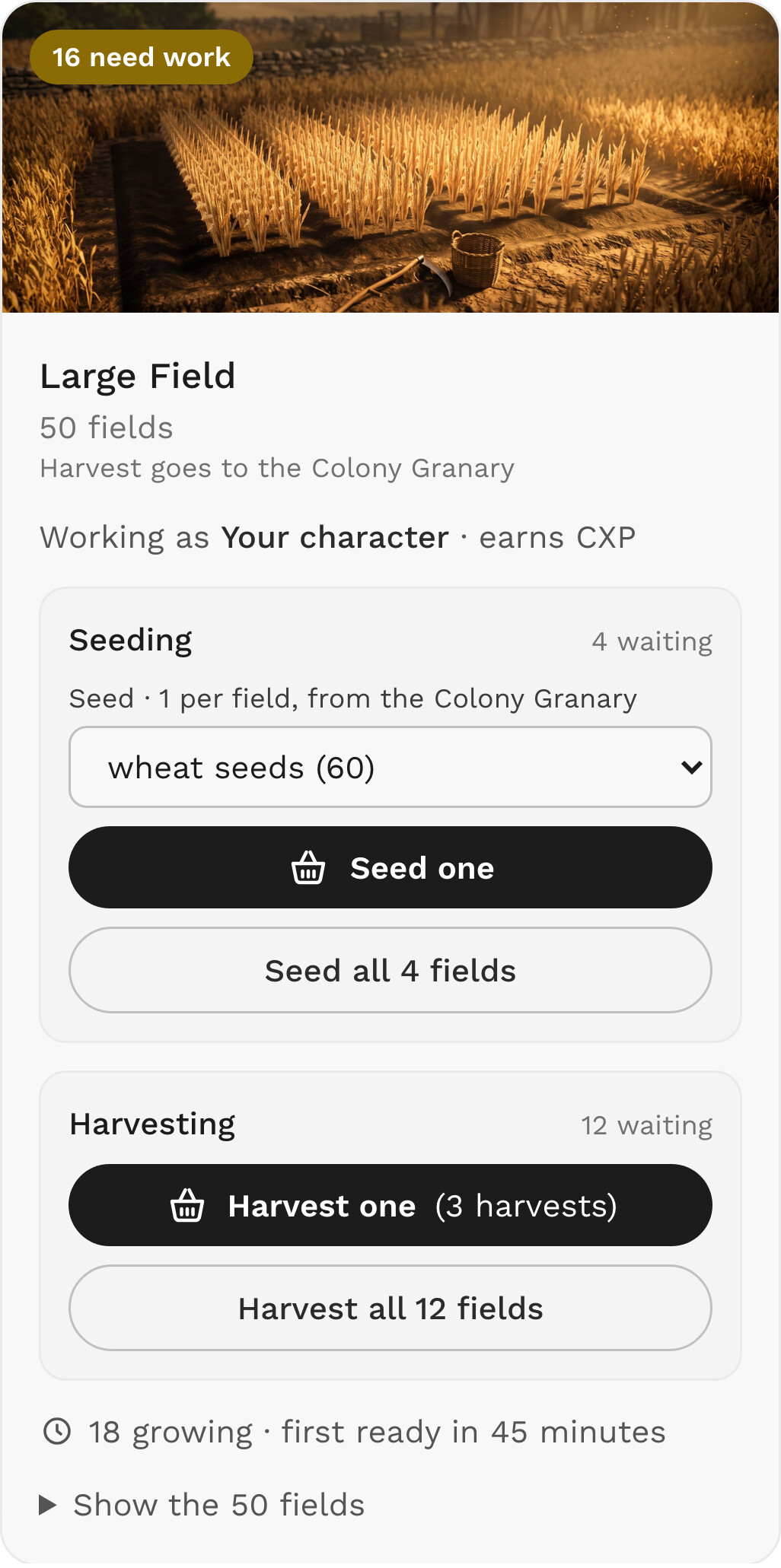
- Farm. Plough, seed, water and harvest. Choose your crop from what’s in the stores, then Harvest all to bring in a whole kind of field in one press.
- See where it all goes. Every tile tells you where its goods will land, and whose storage that is, before you press.
How it’s paid for
- 2 platinum opens the Stone for 2 minutes.
- 1 platinum a minute keeps it going. Choose how many minutes with − and +.
- Let it run out and it clouds over for an hour, so top it up before it fades.
- Energy Regeneration is 5 platinum, drunk right on the page.
The Scrying Stone is for Citizens and World Builders. It runs on platinum, which comes with those memberships, and every membership keeps SL Colonies Roleplay in development. Thank you to everyone who already supports us.
What you need to do
- Set your stations, nodes and fields to Colony in-world, and update them with the updater box from our in-world store. Only Colony objects on the latest scripts appear on the Stone.
- Stock your colony’s stores with what the work needs: ingredients, seeds, water, bags and spare tools. The Stone can only use what’s there.
- Leaders: check Where goods go on your colony page. It decides where everything your colony’s shared objects make ends up, through the Stone and in person alike.
Good to know
- The work uses your character’s energy and tools, just as it would in person.
- Hunting, fishing, the dye tank, bottling, the furniture station and the leather rack stay in-world.
- If something goes wrong after you’ve paid, the Stone gives your platinum back and tells you why.
- It’s built for phones: the clock and the add-minutes button stay in view as you scroll.
Full guide: The Scrying Stone: work your colony from anywhere
Open the Stone: slcoloniesroleplay.com/profile/colony/scrying
Membership: slcoloniesroleplay.com/membership
 The Scrying Stone is free for now