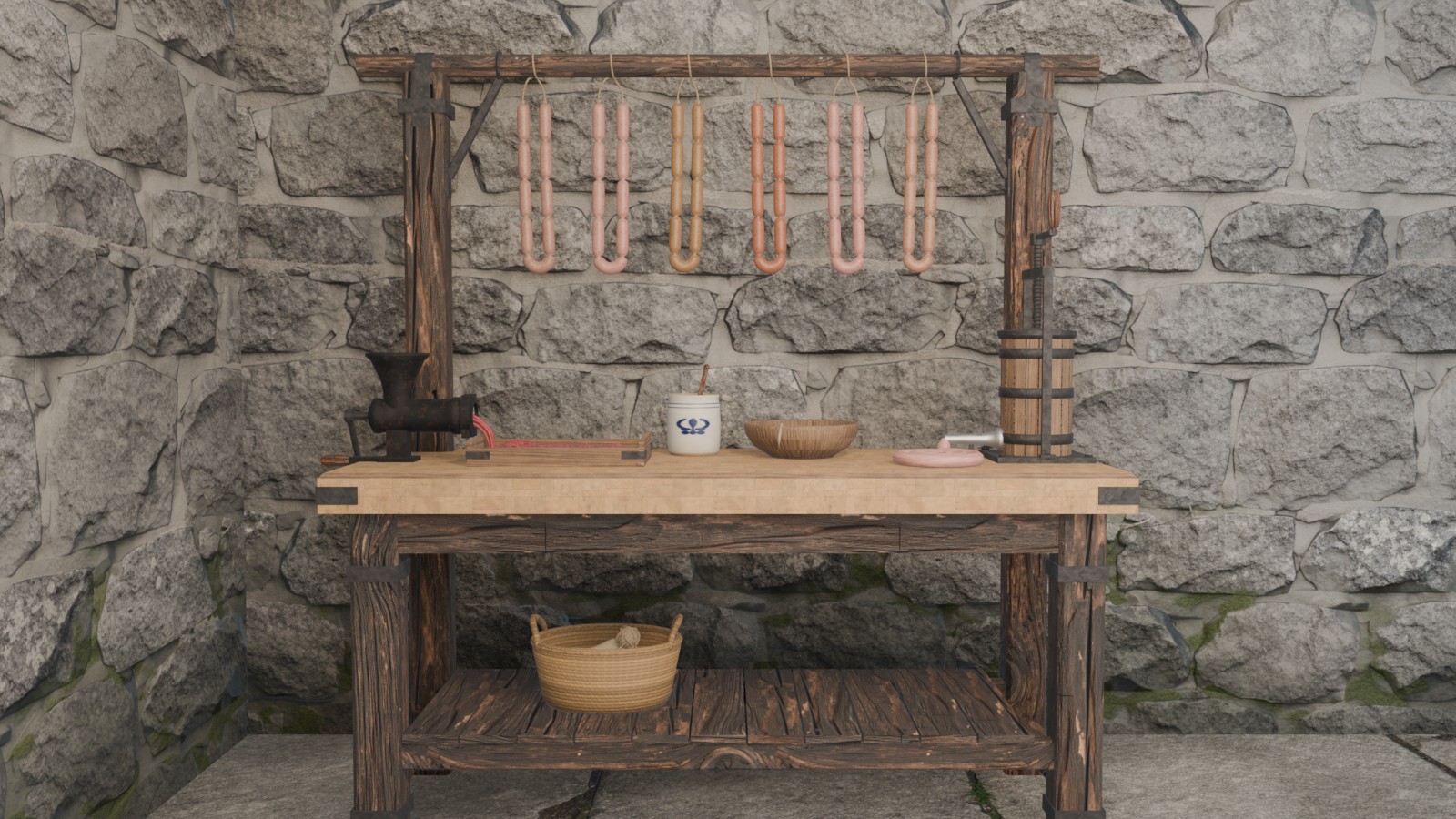
The Sausage Table is where a Butcher turns trim and fat into sausages in Second Life. Mince the trim from the Butcher’s Block at the table’s own mincer, choose what goes in with it, then season, stuff, twist and hang the links by hand, or let a countdown make a recipe you know. Mix something nobody has made before and it’s a new sausage, yours to name. Get the Sausage Table in the store.

What you need
| What it is | Where it comes from | |
|---|---|---|
| To be a Butcher | Any Butcher can use the mincer. Sausages need Butcher level 2, kept once learned, whatever trade you take up after. | Choose the profession |
| Trim | Pork, beef, lamb, venison, chicken or fish trim | What’s left when you finish a carcass at the Butcher’s Block |
| Pork fatback | The fat in every red-meat house sausage | The Butcher’s Block |
| Casings | Hog, sheep or beef | The Butcher Master, 10 CXP each |
| Seasoning | Salt, sage, fennel, garlic, thyme, basic herbs, basic spice, yellow onion, or anything else the Cooking Station takes | Gathering, farming and the markets |
| Energy | 5 a batch | Eat and rest as usual |
Taking your place
Touch the Sausage Table and you take your place at the bench. Then choose:
- App in HUD, to open it right on your screen in Second Life, or
- Web, to open it in your browser.
Both are the same app, with three tabs: Mincer, Bench and Recipes.
- The table moves you to each job as you work: the mincer, the bowl, the stuffer and the rail, facing the work.
- Feet on the floor: if yours aren’t quite on it, touch the table for its menu and press Higher or Lower. Each press moves you 2 cm, up to 30 cm either way, and the table remembers it for you alone.
- Standing up closes the app. Anything on the bench waits for you.
The mincer
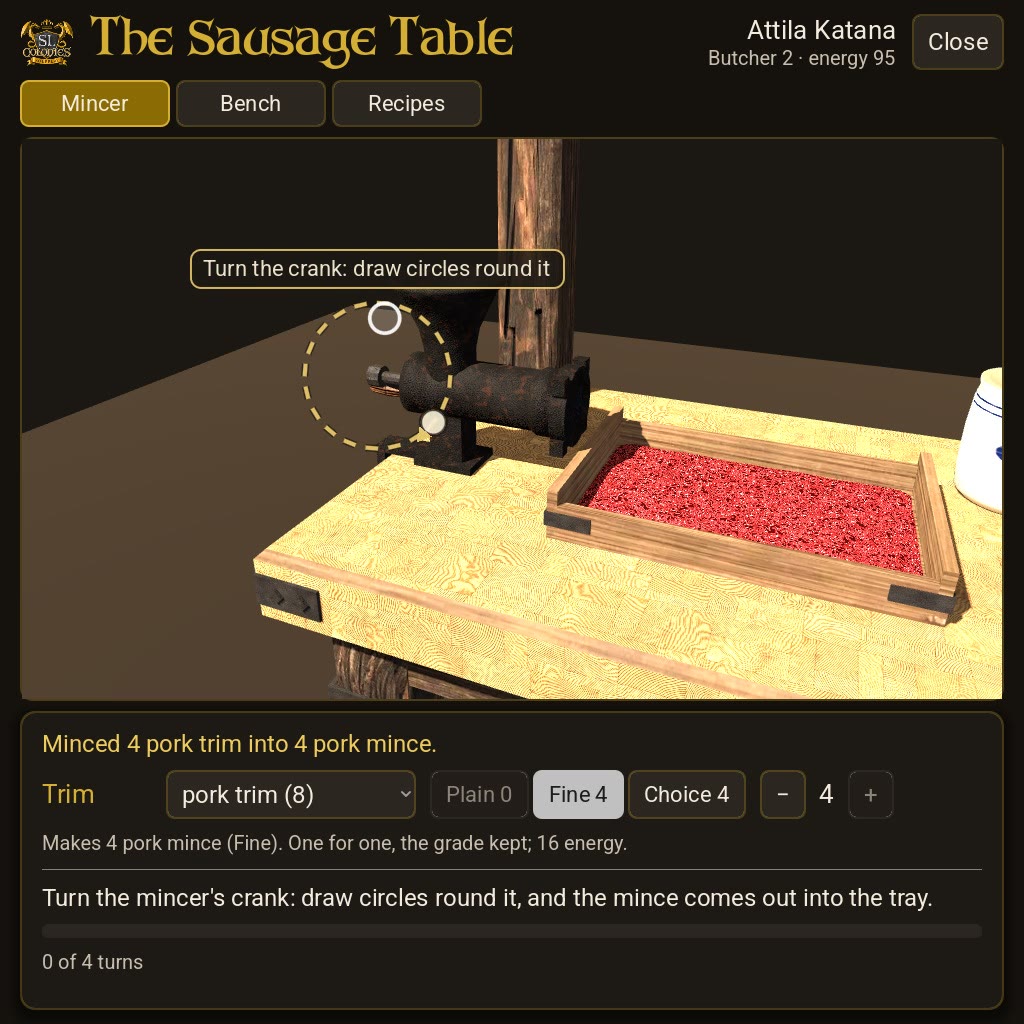
On the Mincer tab, choose your trim, its grade and how much, up to 20 at once. Then turn the crank: draw circles round it on the bench. Four turns and the mince comes out into the tray.
- One for one, the grade kept: 4 Choice pork trim makes 4 Choice pork mince.
- 5 energy a trim, a fifth off when you mince more than one.
- Any Butcher can mince; it doesn’t need level 2.
The mix
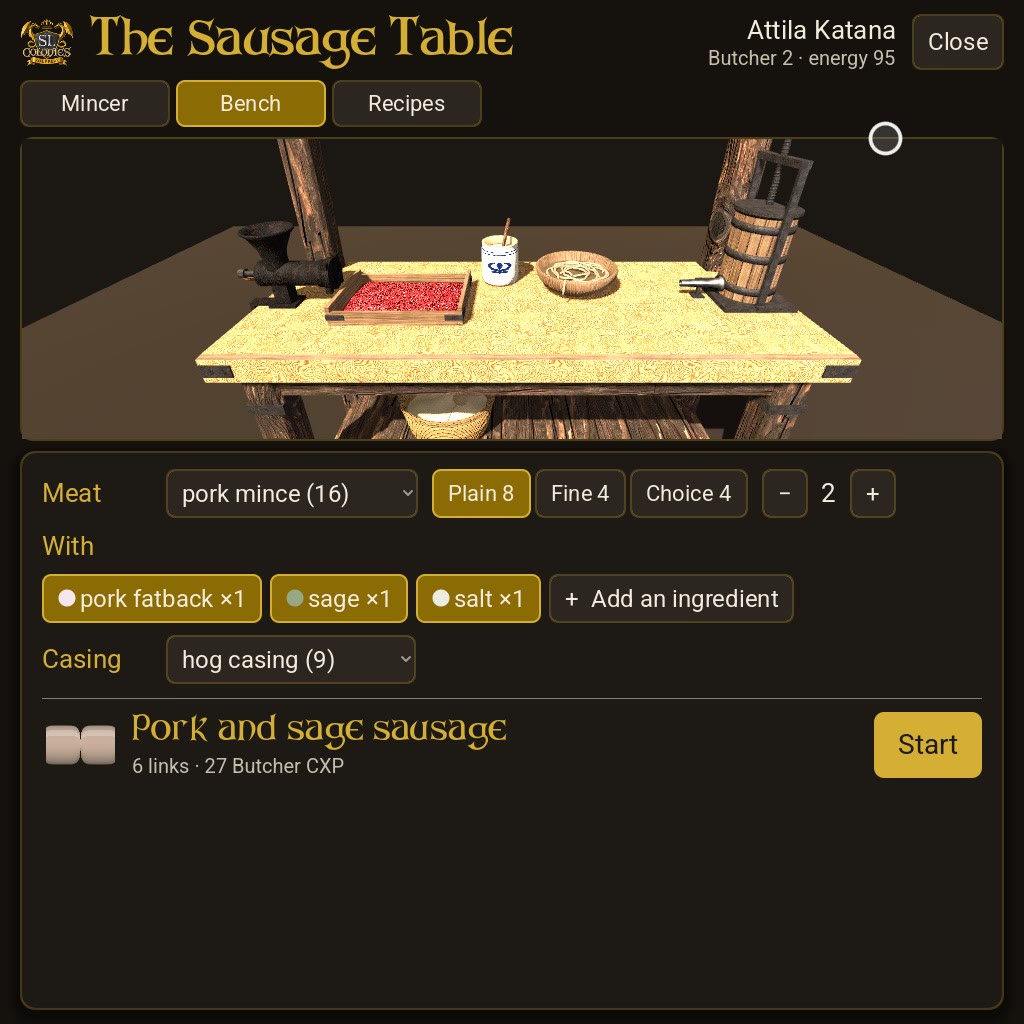
On the Bench tab, choose:
- The mince: its kind, its grade, and 1 to 3 of it. Each mince makes 3 links.
- What goes in with it: press Add an ingredient and pick from your pack: fat, herbs, spice, anything the Cooking Station would take. Up to six things, 1 to 3 of each. A click on a chosen one adds another, and at its most it comes out.
- The casing: hog, sheep or beef.
The bench tells you what you’re making: one of the house sausages, a recipe of your own, or a new sausage, yours to name. Then press Start.
Making it by hand
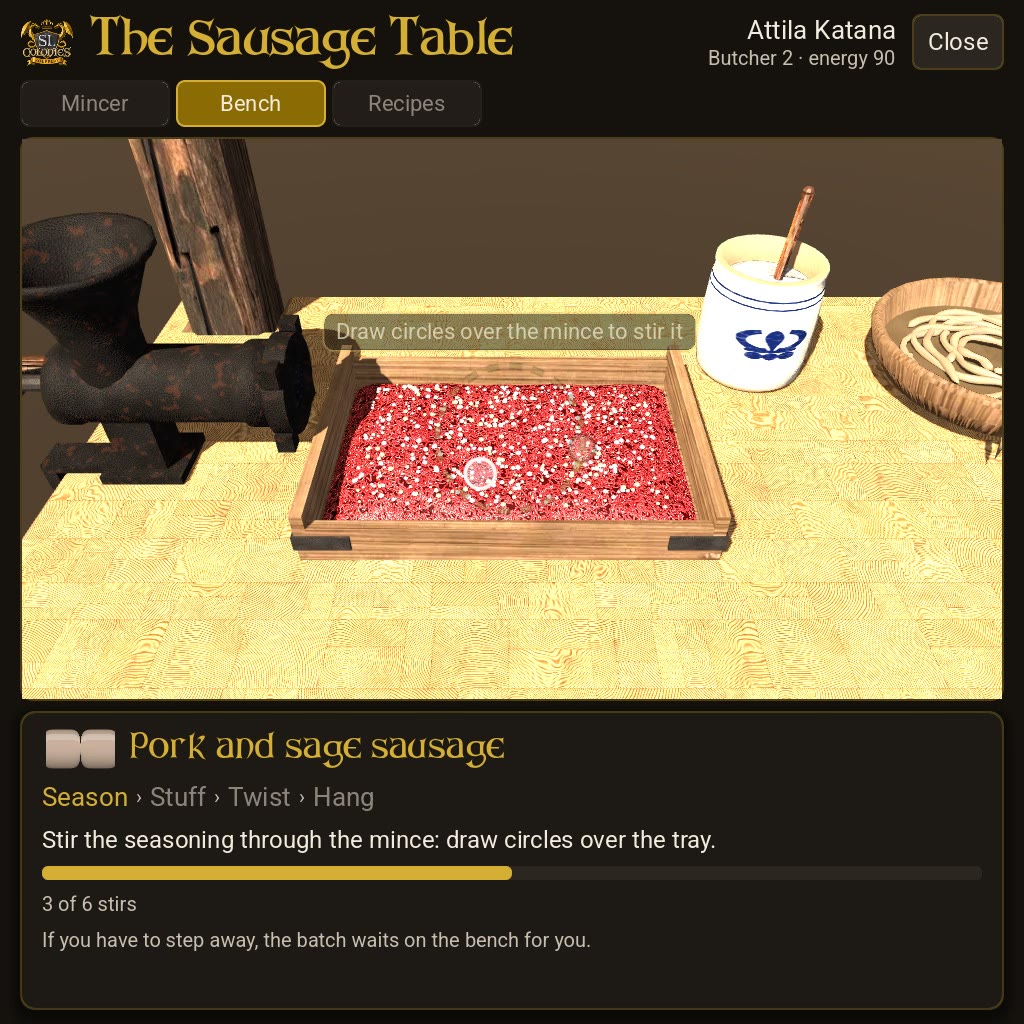
- Season: stir the seasoning through. Draw circles over the mince in the tray, six stirs.
- Stuff: turn the stuffer’s crank, drawing circles round it, eight turns. The casing fills along the bench as the tray empties.
- Twist: tap the sausage once for each link. Each one pinches off as you twist it.
- Hang: drag the string up onto the rail. It follows your hand, and past halfway it goes up on its own.
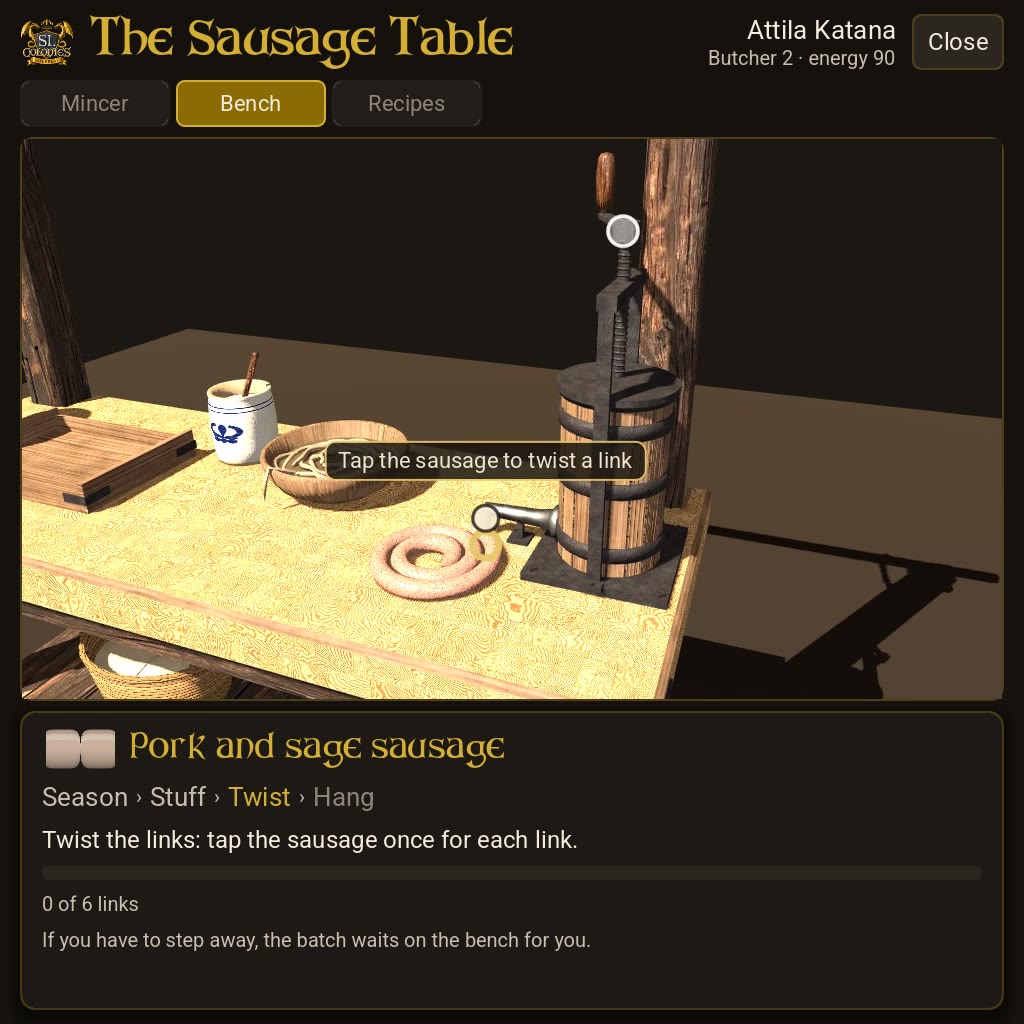
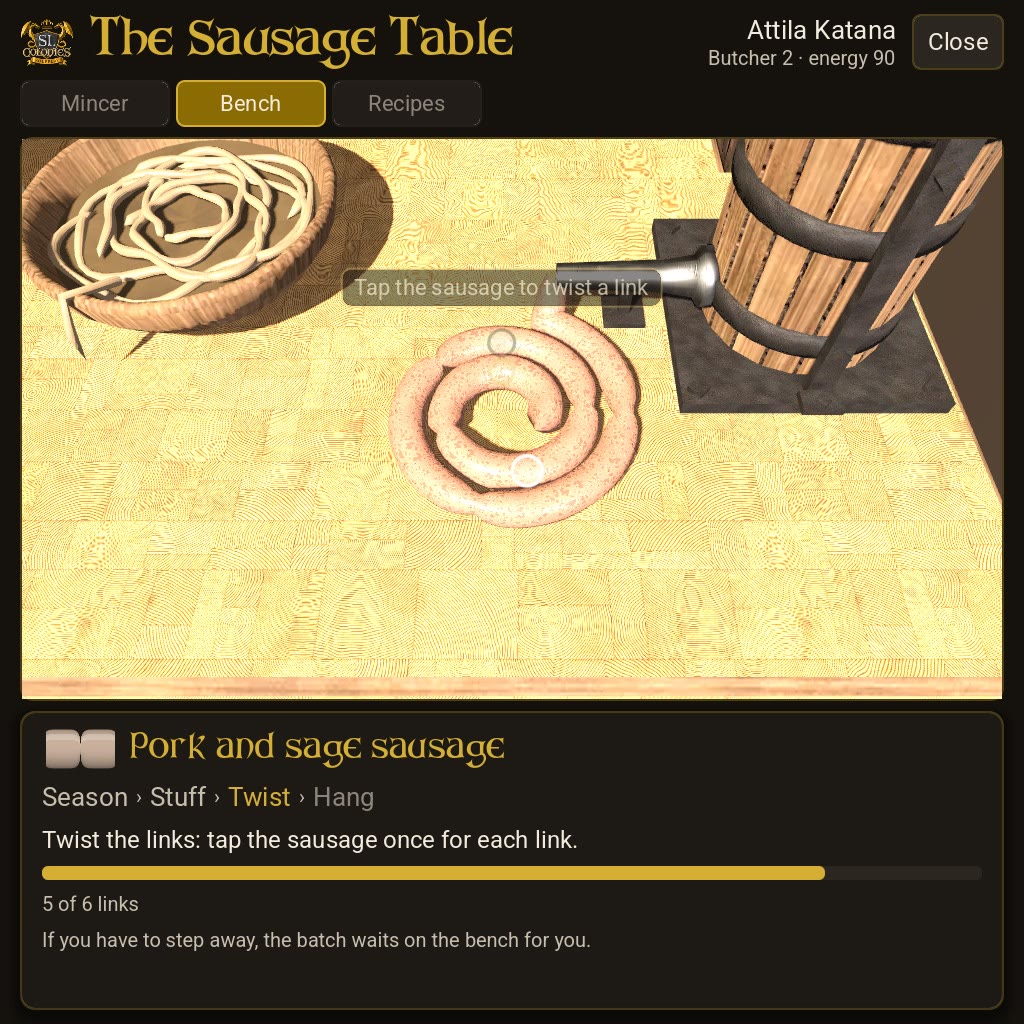
When it’s hung, the app says what you made: “Made 6 links of pork and sage sausage · +27 Butcher CXP”.
- Your batch is yours. If you have to step away, it waits on the bench for you, at this Sausage Table or any other, and nobody else’s work is held up by it.
- A stroke every 1.2 seconds. Too quick and the app says “Steady…” and waits for you.
The house sausages
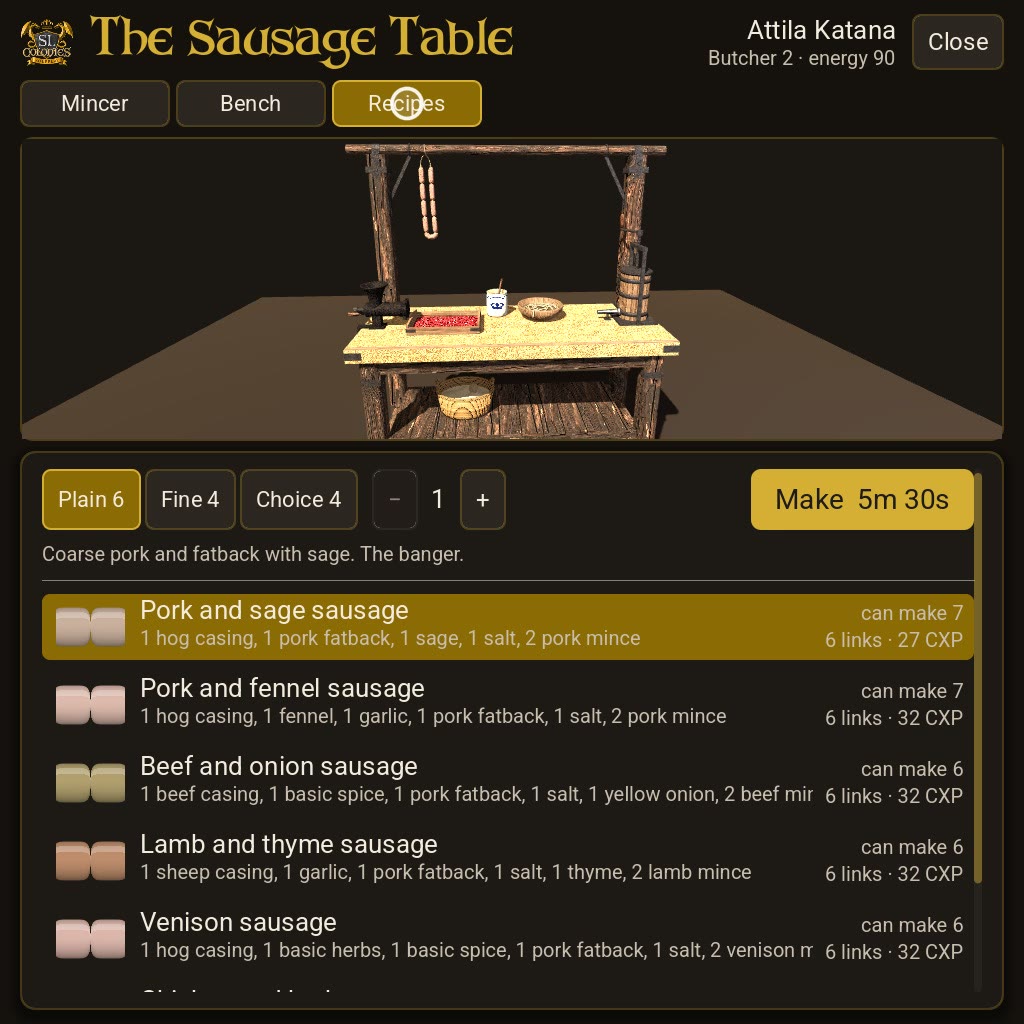
Seven to start with. Each makes 6 links from 2 mince.
| Sausage | Mince | With | Casing | Butcher CXP | Countdown |
|---|---|---|---|---|---|
| Pork and sage sausage | 2 pork mince | 1 pork fatback, 1 sage, 1 salt | hog | 27 | 5m 30s |
| Pork and fennel sausage | 2 pork mince | 1 pork fatback, 1 fennel, 1 garlic, 1 salt | hog | 32 | 6m 30s |
| Beef and onion sausage | 2 beef mince | 1 pork fatback, 1 basic spice, 1 yellow onion, 1 salt | beef | 32 | 6m 30s |
| Lamb and thyme sausage | 2 lamb mince | 1 pork fatback, 1 garlic, 1 thyme, 1 salt | sheep | 32 | 6m 30s |
| Venison sausage | 2 venison mince | 1 pork fatback, 1 basic herbs, 1 basic spice, 1 salt | hog | 32 | 6m 30s |
| Chicken and herb sausage | 2 chicken mince | 1 basic herbs, 1 salt | sheep | 22 | 4m 30s |
| Fish sausage | 2 fish mince | 1 basic herbs, 1 salt | sheep | 22 | 4m 30s |
Inventing your own
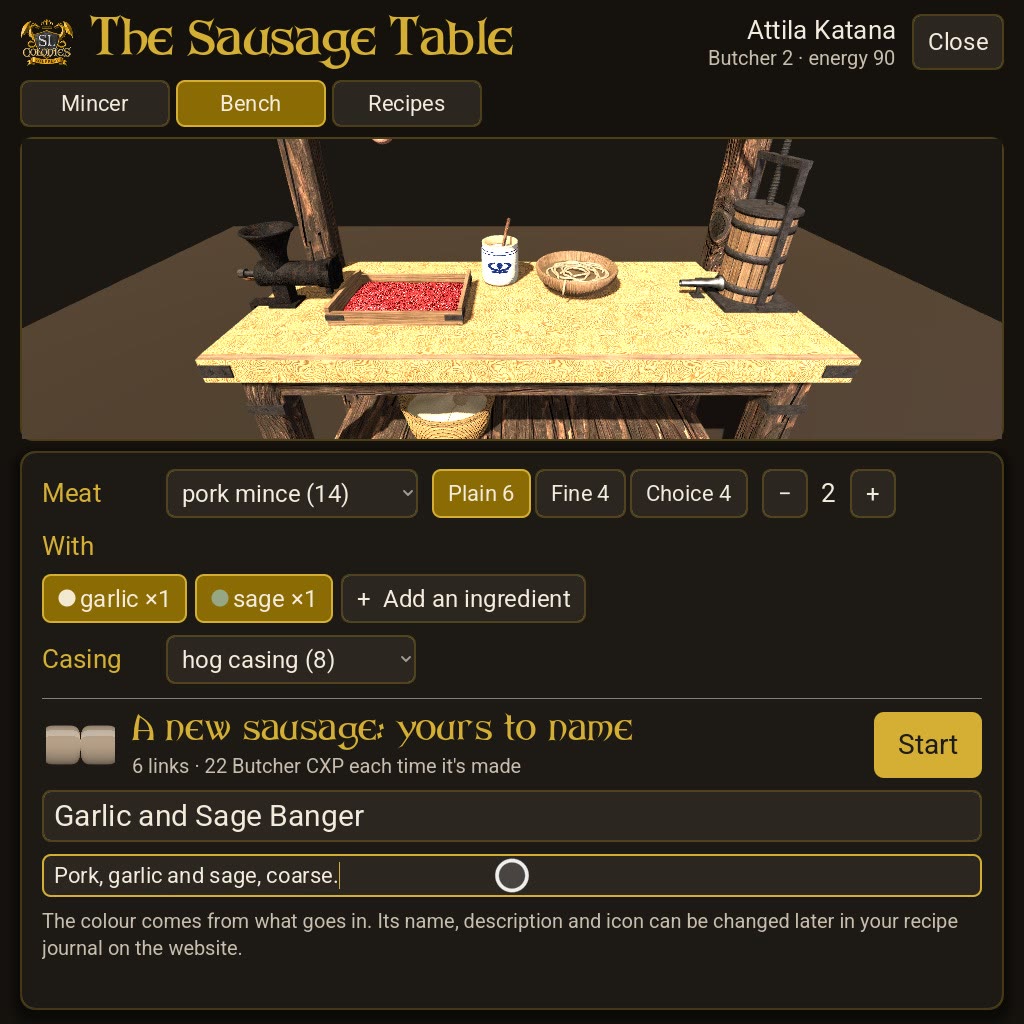
Mix something the bench doesn’t know and it’s a new sausage, yours.
- Give it a name (required, up to 24 letters, numbers and spaces, not a name already in the game) and a description if you like.
- Its colour comes from what goes in, worked out by the game as at the Cooking Station.
- It goes into your recipe book. Change its name, description and icon later in your recipe journal on the website, like any other recipe.
- Another butcher’s recipe is theirs. If your mix matches one, the bench says so: change something to make it your own.
Recipes by countdown
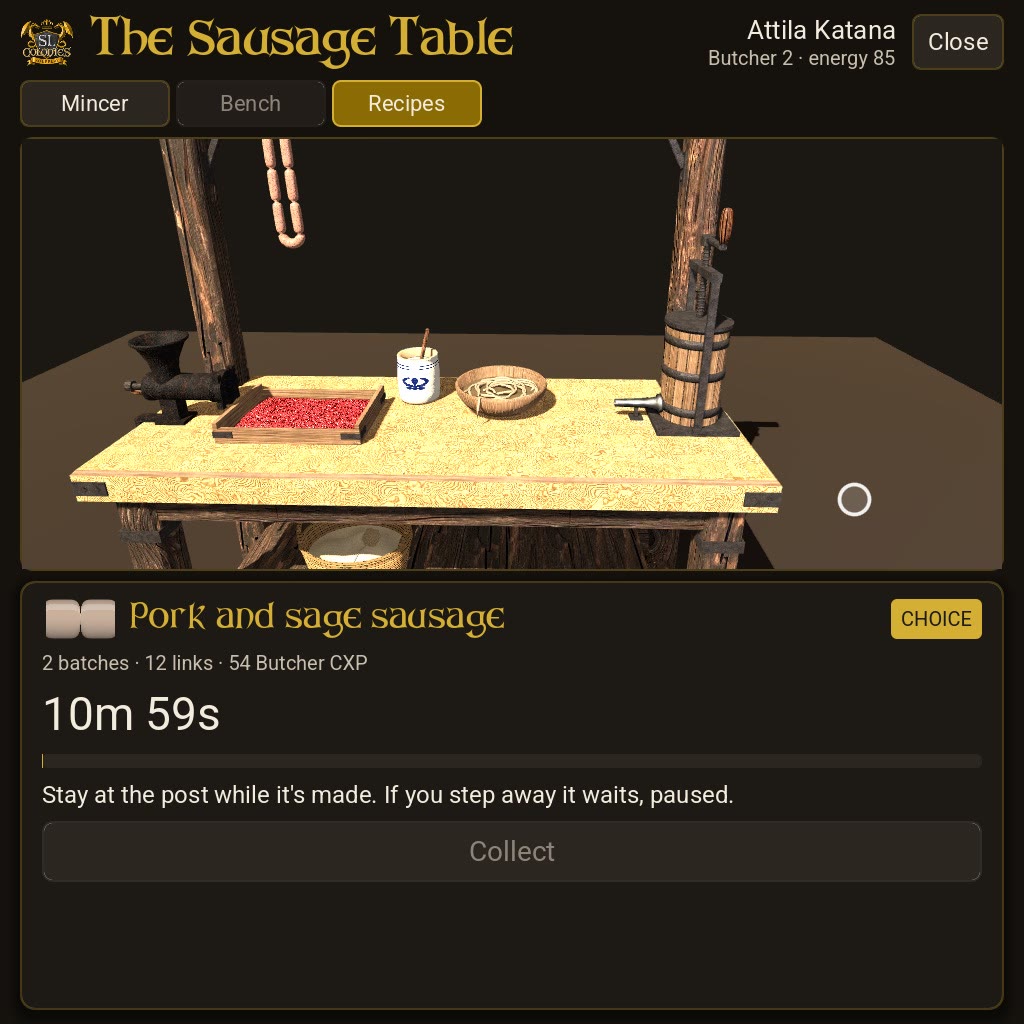
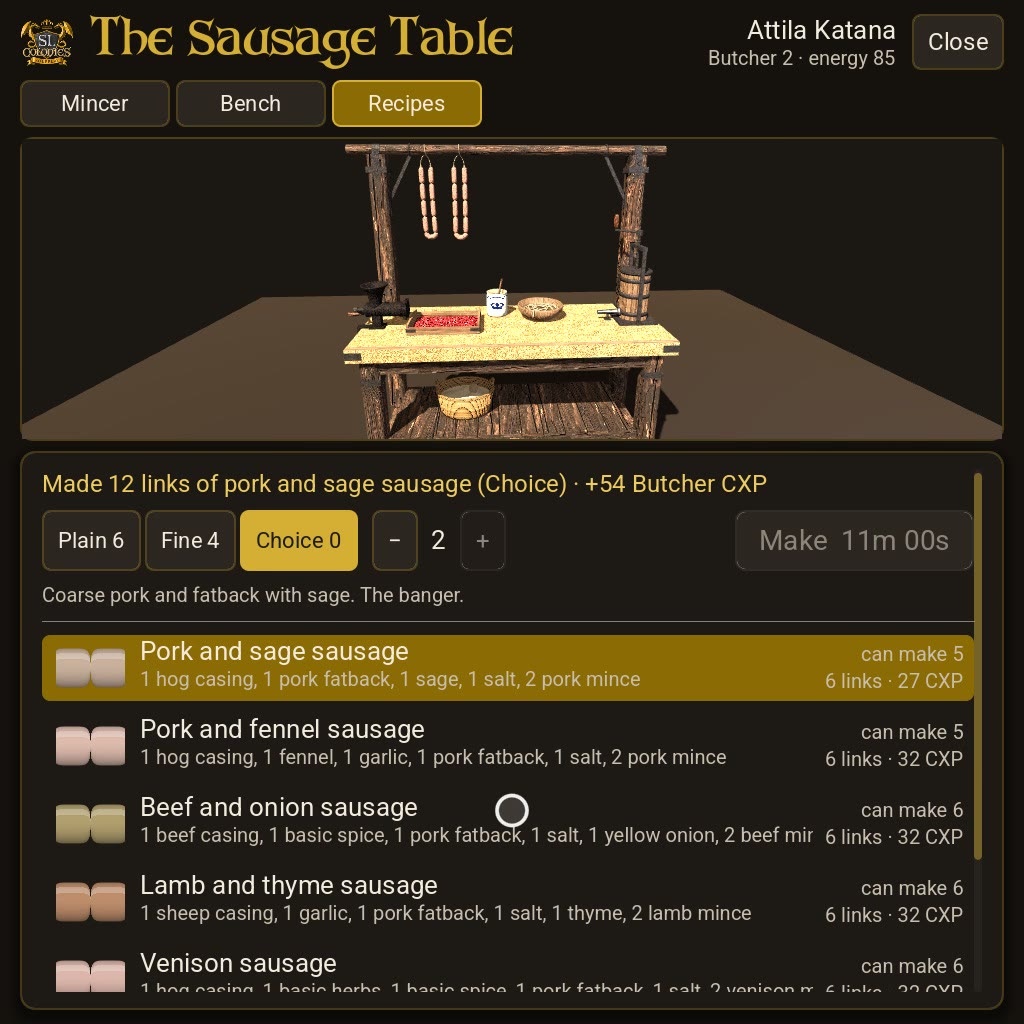
Once you know a recipe (a house sausage or one of your own), the Recipes tab can make it for you.
- Choose the recipe, its grade and how many batches, up to 10.
- Press Make. It counts down, a batch’s time for each batch.
- Stay at the table while it’s made. Step away and it waits, paused, until you’re back.
- When it says Ready, press Collect.
- 5 energy a batch, a fifth off when you make more than one.
- The CXP is the recipe’s, the same as making it by hand.
Grades and CXP
- The grade is the mince’s own. A Choice mince makes Choice sausages, house recipes and your own alike.
- Butcher CXP every time you make a sausage: the recipe’s figure, for each batch.
Owners
- Long-click the Sausage Table for the owner’s menu: its name, its hover text, and its security: Owner, Colony or Public, as on every SL Colonies station.
- One worker at a time. Whoever takes their place at the bench works it until they stand up.
Questions
Ask in the Sausage Table announcement topic, on Discord, or send Samuel an IM. The mentors are always happy to help.
New to SL Colonies? Start your journey, and get the free HUD in-world at the Emporium on Everdale Isle.