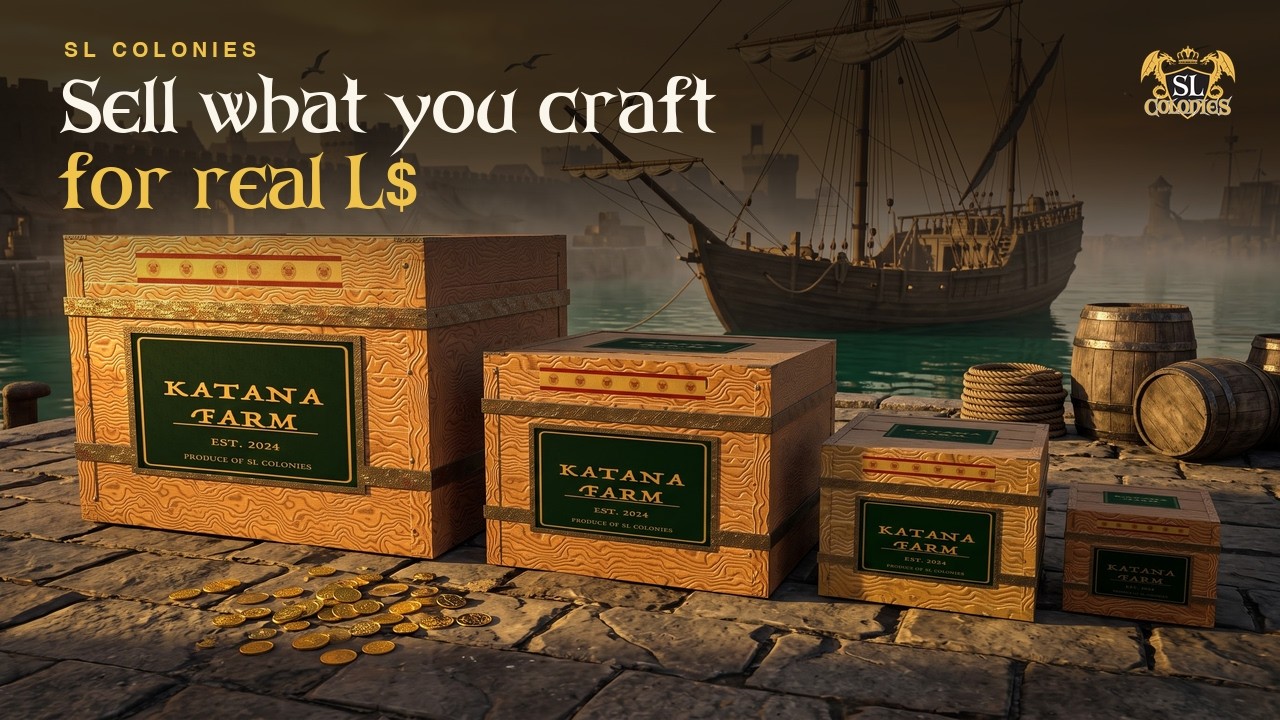
Sell what you make for real Linden dollars. Pack your goods into a crate, seal it, and sell it on the Trading Post, or as a real object you can hand to anyone in Second Life. This guide walks through every step, start to finish.
The Trading Post: slcoloniesroleplay.com/trading-post
Your crates: slcoloniesroleplay.com/profile/crates
How it works, in one line
Craft a crate → pack it on the website → seal it → list it, or take it in-world → get paid in L$.
SL Colonies Roleplay takes no commission. The whole sale price goes to the seller.
Who can do what: anyone can craft a crate, buy from the Trading Post and open a crate they bought. Packing and sealing crates are for Citizens and World Builders, and sealing spends platinum, which comes with those memberships. See Membership.
1. Craft a crate
Crates are made at the Carpentry Bench. There are twelve: four sizes, each in oak, maple or fir. The wood changes only how the crate looks. A small maple crate holds exactly what a small oak one does, and costs the same to seal.
| Size | Holds | Carpentry level |
|---|---|---|
| Small | 5 stacks, up to 2,500 items | 0 |
| Medium | 10 stacks, up to 5,000 items | 1 |
| Large | 20 stacks, up to 10,000 items | 2 |
| Huge | 50 stacks, up to 25,000 items | 3 |
A stack holds up to 500 of one item. The small crates are level 0, so any colonist can make one on their first day. The full recipes are on the Carpentry Bench page.
A crate you have crafted shows up on your crates page, ready to pack.
2. Set your brand
Before you seal anything, set your brand name (your farm or shop name) and, if you like, a texture on the crates page. To use your own texture, upload it in Second Life, make sure it is full permissions, and paste its UUID into the texture field. You will see a preview.
Your brand shows on your listings and on the physical crate. It applies to every crate you seal from then on. A crate that is already sealed keeps the brand it was sealed with.
3. Pack it
Packing happens on the website, not in-world, and needs Citizen or World Builder membership. Press Pack on a crate and you can fill it from:
- your backpack
- any storage you own
- every character on your account at once. The page tells you where each item is coming from.
For each item, put in the full amount, half, or a number you type.
Currency cannot go in a crate. No coins, no platinum. The page refuses it.
4. Seal it
Sealing freezes what is inside for good, stamps your brand on the crate, closes it with the SL Colonies seal and gives it its own crate ID.
It cannot be undone, and the platinum is not refunded. The cost is 1 platinum for every 500 items packed, so it follows what you put in, not the size of the box. A huge crate with a handful of items in it costs one platinum to seal. You choose which of your characters pays.
Why sealing exists. A buyer is paying real money for a box they cannot open first. The seal fixes the contents, and the crate publishes a manifest: every item, every quantity, and the real numbers behind them. A weapon shows its damage, durability, critical chance and sharpness. A food shows what it restores. Buyers read it before they pay, so what they buy is exactly what they get.
When you seal, you choose where the crate goes next:
- List on SL Colonies. It goes on the Trading Post, and a buyer pays on the website.
- Send me the crate. A physical crate is delivered to you in-world (see section 7).
5. List it on the Trading Post
A listed crate shows on the Trading Post with its manifest, but nobody can buy it until you set a price. There are two ways to sell.
Fixed price
Name a price from L$1 to L$1,000,000. A fixed-price listing has no time limit. It stays up until someone buys it or you take it down, and you can change the price whenever you like.
Auction
Name an opening bid and a length of 1 to 14 days. Auctions use maximum bidding:
- A bidder enters the most they are willing to pay.
- They are charged only what it takes to beat the next bidder, L$1 more than the next highest maximum.
- For example: you bid a maximum of L$500 on a crate opening at L$50. You lead at L$50. Someone else bids up to L$200, so you still lead, now at L$201.
- Bidders pay when they bid. The money is held. If someone outbids you, your money is refunded automatically, without waiting for the auction to end.
- When the auction closes, the winning bid goes to the seller.
Once somebody has bid on an auction, you cannot change its price or take it down. Their money is already held against it.
Changing your mind
- Take it off the market and it comes back to your crates page. Reprice it, relist it, or take a physical crate instead.
- Break the seal and the goods return to you. The crate and the platinum you sealed it with are gone.
You cannot buy or bid on your own listing.
6. Buying a crate
Anyone can browse the Trading Post, search it for the item you want, and press Look inside to read a crate’s manifest before buying.
When you buy or bid, our bot sends you an IM in-world asking for the payment. Pay it in L$, the bot confirms, and the crate is yours. It appears on your crates page. Open it whenever you like. There is no deadline. Opening it breaks the seal and puts everything inside into your backpack.
7. The physical crate
Choose Send me the crate and a crate is delivered to you in-world. It is no copy, no modify, but transferable.
- Rez it and touch it. A web page opens.
- Bind it to one of your sealed crates of the same size. A small body only binds to a small crate.
- Touch it again. It takes on your wood, your texture, your brand name and the crate’s ID.
Now it is a real object you can sell however you like: in your own vendors, on the Second Life Marketplace, or by handing it straight to another avatar.
Whoever holds it can open it, once. Opening it puts the contents into that person’s backpack and ends the crate. What is left is a prop.
This is an either/or. A crate with a physical body cannot go back on the Trading Post. Possession is now the proof of ownership. Anyone else who touches a physical crate is shown exactly what is inside it on the website, so a buyer never has to take the seller’s word for it.
8. Getting paid
When a crate sells on the Trading Post, the money is paid out to you in-world by our bot. We take no cut. Your crates page keeps a ledger of what you are owed and what has been paid.
When you sell a physical crate yourself, through your vendor, the Marketplace or by hand, you are paid the way you normally are in Second Life.
The numbers, in one place
| Crate recipes | 12: small, medium, large, huge × oak, maple, fir |
| Carpentry level | small 0 · medium 1 · large 2 · huge 3 |
| Capacity | 5 / 10 / 20 / 50 stacks of up to 500 |
| Seal cost | 1 platinum per 500 items packed |
| Fixed price | L$1 to L$1,000,000, no time limit |
| Auction length | 1 to 14 days |
| Bid increment | L$1 |
| Outbid bidders | refunded automatically |
| Our commission | none |
Before you start
- Packing and sealing need Citizen or World Builder membership. If a membership lapses, you can still take your goods back out of a crate you have not sealed.
- Sealing is one-way. The platinum does not come back, even if you break the crate open later.
- The manifest is public. Anyone can see exactly what is in a sealed crate. That is why people will buy from you.
- An auction with a bid on it cannot be withdrawn.
- A physical crate cannot be sold on the Trading Post. Decide before you ask for the body.
- Set your brand first. It is what buyers see on your listings and on the crate itself.
Questions or problems? Reply below.